Article number: "1"
Article ID: "999999999" (id "a999999999" and role "")
DOI: "10.1234/XXX-123456789"
Document type: "Original"
Publisher imprint: "The Imprint"
Year of publication: "2004"
Copyright Taylor & Francis: "yes"
Copyright owner: "TF"
Product free: "no"
Number of colour pages: "0"
Tagger: "Detica"
Primary Language: "en"
Article ID: "999999999" (id "a999999999" and role "")
DOI: "10.1234/XXX-123456789"
Document type: "Original"
Publisher imprint: "The Imprint"
Year of publication: "2004"
Copyright Taylor & Francis: "yes"
Copyright owner: "TF"
Product free: "no"
Number of colour pages: "0"
Tagger: "Detica"
Primary Language: "en"
Contents:
Sample T&F Journal Article (Article Title) >>>
Title of Abstract >>>
. This abbrev is at start of article. The Abbreviation Section >>>
. This nomen is at start of article. The Nomenclature Section >>>
Introduction Title >>>
Article Structure (Part Title) >>>
. First Section in Part 1 (Section 1 Title) >>>
. Second Section in Part 1 (Section 1 Title) >>>
. . First Sub-Section (Section 2 Title) >>>
. . Second Sub-Section (Section 2 Title) >>>
. . . A Sub-Sub-Section (title) >>>
. . . . A Sub-Sub-Sub-Section (title) >>>
. . . . . A Sub-Sub-Sub-Sub-Section (title) >>>
. Inline Elements >>>
. Text Blocks >>>
Sidebox Title >>>
Index Title >>>
A >>>
Subjects and Compound Entries >>>
See Other Entries >>>
Sub groupings >>>
. . Old Sidebox >>>
. Text Blocks Within Text >>>
. Lists >>>
. Tables >>>
. . Tables In File "999999999_suppl.xml" >>>
. Images and Media >>>
. Maths and Chemistry >>>
. The Summary >>>
. Some Notes Added in Proof >>>
. The Glossary >>>
. The Abbreviation Section >>>
. The Nomenclature Section >>>
. The References >>>
. . Reference Section >>>
. . These are "readings" >>>
First Additional Abstract >>>
An Additional Title >>>
Second Additional Abstract >>>
French Translation Title >>>
Formal Tables:
Title Of Table One - (these titles are optional in formal tables) >>>
Figures:
Figure Title - Image (fig. 1) >>>
Elements with Identifiers:
article :
- 'a999999999'
query : - 'Q0001' - 'Q0002' - 'Q0003'
affiliation : - 'AFF0001' - 'AFF0002'
supplementmaterial : - 'suppmat1' - 'suppmat2' - 'suppmat3' - 'suppmat4'
para : - 'P1'
computertext : - 'comptext1'
extract : - 'extract1' - 'extract2' - 'extract3'
indexentry : - 'targetEntry1' - 'targetEntry2'
enunciation : - 'enunciation1'
footnote : - 'footnote1'
simplelist : - 'list1'
listitem : - 'listitem1'
formaltable : - 'table1'
figure : - 'figure1'
endnotes : - 'endnote1'
matheqn : - 'matheqn1' - 'matheqn2'
chemeqn : - 'chemeqn1'
formula : - 'chemform1'
structure : - 'chemstruct1'
fundingsource : - 'FS0001'
endnote : - 'endnt1' - 'endnt2'
references : - 'references'
ref-periodic : - 'loosePeriodic' - 'realPeriodic'
ref-book : - 'looseBook' - 'realBook' - 'realBookCorp'
ref-book-text : - 'looseBook2'
ref-conf : - 'looseConference' - 'realConference'
ref-govpub : - 'looseGovPub'
ref-patent : - 'loosePatent'
ref-web : - 'looseWeb'
query : - 'Q0001' - 'Q0002' - 'Q0003'
affiliation : - 'AFF0001' - 'AFF0002'
supplementmaterial : - 'suppmat1' - 'suppmat2' - 'suppmat3' - 'suppmat4'
para : - 'P1'
computertext : - 'comptext1'
extract : - 'extract1' - 'extract2' - 'extract3'
indexentry : - 'targetEntry1' - 'targetEntry2'
enunciation : - 'enunciation1'
footnote : - 'footnote1'
simplelist : - 'list1'
listitem : - 'listitem1'
formaltable : - 'table1'
figure : - 'figure1'
endnotes : - 'endnote1'
matheqn : - 'matheqn1' - 'matheqn2'
chemeqn : - 'chemeqn1'
formula : - 'chemform1'
structure : - 'chemstruct1'
fundingsource : - 'FS0001'
endnote : - 'endnt1' - 'endnt2'
references : - 'references'
ref-periodic : - 'loosePeriodic' - 'realPeriodic'
ref-book : - 'looseBook' - 'realBook' - 'realBookCorp'
ref-book-text : - 'looseBook2'
ref-conf : - 'looseConference' - 'realConference'
ref-govpub : - 'looseGovPub'
ref-patent : - 'loosePatent'
ref-web : - 'looseWeb'
Metadata
Product ID: "productID"
Article status: ""
MedLine journal title: ""
Content type: ""
Special issue: "yes" (title "This is a Special Issue Title")
Article URL: ""
Volume number: "2"
Issue number: "3" (sequence "1") (in press "")
Page range: "12" - "15" (total "")
PDF file: "" (size "") (pages "")
Full text link: ""
Colour graphics: "no"
Audience: "" (secondary "")
Reference style: "Math"
Article status: ""
MedLine journal title: ""
Content type: ""
Special issue: "yes" (title "This is a Special Issue Title")
Article URL: ""
Volume number: "2"
Issue number: "3" (sequence "1") (in press "")
Page range: "12" - "15" (total "")
PDF file: "" (size "") (pages "")
Full text link: ""
Colour graphics: "no"
Audience: "" (secondary "")
Reference style: "Math"
journalcode
:
<journalcode>XYZ</journalcode>
issn
:
<issn type='print'>0092-1234</issn>
issn
:
<issn type='electronic'>1532-9876</issn>
coden
:
<coden>Coden text</coden>
sici
:
<sici>A-999</sici>
pubitemid
:
<pubitemid>S0001-9999(00)00100-3</pubitemid>
pubmedabbrev
:
<pubmedabbrev>PUBMED Abbreviation</pubmedabbrev>
author
:
<author primaryauthor='yes' corresponding='yes' seq='1'>
name
:
<name><honorific>Honorific</honorific><prefix>Prefix</prefix><givenname>Givenname</givenname><inits>A</inits><surname>Surname</surname><suffix>Suffix</suffix><degree>Degree1</degree><degree>Degree2</degree>
<query id='Q0001' directedto='author'>Query Q0001: This a query requesting a correction to the author's name.</query>
</name>contactinfo
:
<contactinfo>
contact
:
<contact corresponding='no' postpub='no' biocontact='no'><position affilref='AFF0001' primaryaffiliation='yes'>
<affiltitle>Affiliation Title</affiltitle><email url='[email protected]'>[email protected]</email><phone>+99 (0) 123 456 7890</phone><fax>+99 (0) 123 456 7899</fax><webaddress url='www.FirstContact.org' target='new'>www.FirstContact.org</webaddress></position></contact>
contact
:
<contact corresponding='no' postpub='no' biocontact='no'><address><usa><addline>Contact Address Line One</addline><addline>Contact Address Line Two</addline><city>Contact City</city><state>Contact State</state><zip>Zip Code</zip><country>Contact Country</country><phone>+99 (0) 123 456 7890</phone> <fax>+99 (0) 123 456 7899</fax><email url='[email protected]'>[email protected]</email><webaddress url='www.ContactAddress.org' target='new'>www.SecondContact.org</webaddress><addnote>Additional Note on Address</addnote></usa></address>
</contact>
</contactinfo>bioinfo
:
<bioinfo>
biography
:
<biography>
<para>First biography paragraph.</para>
<para>Second biography paragraph.</para>
</biography><photo fileref='999999999_photo.gif'>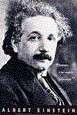 </photo>
</bioinfo></photo>authornote
:
<authornote>Author note (type not specified).</authornote>
authornote
:
<authornote type='member'>Author note (type: "member" of something).</authornote>
</author>author
:
<author primaryauthor='no' corresponding='no' seq='2'>
name
:
<name><givenname>Secondary</givenname><surname>Author</surname></name>
contactinfo
:
<contactinfo>
</author>contact
:
<contact corresponding='no' postpub='no' biocontact='no'><position affilref='AFF0002' primaryaffiliation='yes'>
<affiltitle>Affiliation Title</affiltitle><email url='[email protected]'>[email protected]</email><phone>+99 (0) 123 456 7890</phone><fax>+99 (0) 123 456 7899</fax><webaddress url='www.FirstContact.org' target='new'>www.FirstContact.org</webaddress></position></contact>
contact
:
<contact corresponding='no' postpub='no' biocontact='no'><address><usa><addline>Contact Address Line One</addline><addline>Contact Address Line Two</addline><city>Contact City</city><state>Contact State</state><zip>Zip Code</zip><country>Contact Country</country><phone>+99 (0) 123 456 7890</phone> <fax>+99 (0) 123 456 7899</fax><email url='[email protected]'>[email protected]</email><webaddress url='www.ContactAddress.org' target='new'>www.SecondContact.org</webaddress><addnote>Additional Note on Address</addnote>
</contactinfo><query id='Q0002' directedto='author'>Query Q0002: This is a query for correction added to an affiliation USA-formatted address.</query>
</usa></address>
</contact>affiliations
:
<affiliations>
affiliation
:
<affiliation id='AFF0001'> <institution>
<institutionname>Institution Name</institutionname><department>Department</department></institution>
<address><internat><addline>International Address Line</addline><city>City</city><postalcode>Post Code</postalcode> <country>Country</country><webaddress url='www.detica.com' target='new'>www.detica.com</webaddress><addnote>First Address Note</addnote><addnote>Second Address Note</addnote>
<query id='Q0003' directedto='author'>Query Q0003: This is a query for correction added to an affiliation address.</query>
</internat></address>
</affiliation>affiliation
:
<affiliation id='AFF0002'><institution><institutionname>Another Institution</institutionname></institution><address><usa><city>USA City</city><state>State</state><country>USA</country></usa></address>
</affiliation>
</affiliations>fundingdetails
:
<fundingdetails>
fundingaward
:
<fundingaward awardtype='gift'>
<fundingsource sourcetype='corporation'>Taylor & Francis Group</fundingsource>
<fundawardid>ABCD</fundawardid>
<fundawardid>1234</fundawardid>
</fundingdetails>fundingrecipient
:
<fundingrecipient>
name
:
<name><prefix>Dr.</prefix><givenname>Mark</givenname><surname>Sign</surname></name>
<institution><department>Department of Tagging</department><institutionname>Metadata University</institutionname></institution></fundingrecipient>principalinvestigator
:
<principalinvestigator>
</fundingaward>name
:
<name><prefix>Dr.</prefix><givenname>Mark</givenname><surname>Sign</surname></name>
</principalinvestigator><-- <relatedmaterial relatedas="followup" relationtype="errata" articleid="262358" doi="10.1080/10428190701625081">
<ref-periodic id="REL0001"><authorfield><author-ref><surname>Au</surname>
<givenname>Wing-Yan</givenname></author-ref><author-ref><surname>Tam</surname>
<givenname>Sidney</givenname></author-ref><author-ref><surname>Fong</surname>
<givenname>Bonnie</givenname><middlename>M.</middlename></author-ref><author-ref><etal />
</author-ref></authorfield><articletitle>Prolonged oral arsenic trioxide therapy and neprholithiasis</articletitle>
<journaltitle>Leukemia and Lymphoma</journaltitle><periodicpubfield><year>2007</year>
<volume>48</volume><issue>11</issue></periodicpubfield><pagefield><firstpage>2233</firstpage>
<lastpage>2234</lastpage></pagefield><doi>10.1080/10428190701625081</doi></ref-periodic>
<relationnote>While we don't like to have errata, they sometimes are needed.</relationnote>
</relatedmaterial> -->
supplementmaterial
:
<supplementmaterial id='suppmat1' contenttype='video' doi='10.1234/XXX-123456789-suppmat1' freedownload='no' attachtoissue='no'></supplementmaterial>
search
:
<search>
<category>MajorCategoryKeyword</category>
<primarysubcategory>PrimarySubCategoryKeyword</primarysubcategory>
<subcategory>SubCategoryKeyword</subcategory>
<subcategory>SecondSubCategoryKeyword</subcategory>
<topic>TopicKeyword</topic>
<subtopic>SubTopicKeyword</subtopic>
<subtopic>AnotherSubTopicKeyword</subtopic>
</search>
production-dates
:
<production-dates receiveddate='01Jan2004' reviseddate='Mar2004' acceptdate='2004' qaapprovdate='04Apr2004' finalapprovdate='05May2004' webpubdate='06Jun2004' projectedprintpubdate='07Jul2004' printpubdate='07Jul2004'></production-dates>
<comment>This is a comment. Such comments in this test article will be used where it is not feasible to put self-describing text into a structure.</comment>
<comment>This is a comment about the metadata. Several comments can appear, but only at the end of the metadata section</comment>
<comment>This article XML last modified: $Date: 2011-10-28 09:35:10 -0400 (Fri, 28 Oct 2011) $ $Rev: 895 $</comment>
<journaltitle>The Journal of Test Articles <sup>(Journal Title)</sup></journaltitle>
<journalsubtitle>Test articles and test metadata</journalsubtitle>
<supertitle>TEST ARTICLE <sup>(Super Title)</sup></supertitle>
<title>Sample T&F Journal Article <sup>(Article Title)</sup></title>
<subtitle>Self-Describing Software-Stress-Testing Article - Conforming to Article DTD 1.8 <sub>version 1.8.0</sub><sup>(Sub Title)</sup></subtitle>
<shortauthors>Givenname A. Surname and Secondary Author</shortauthors>
<shorttitle>DTD 1.8 Test Article <sup>(Short Title)</sup></shorttitle>
<doititle>Article DOI <sup>(Digital Object Identifier Title)</sup></doititle>
<logo fileref='999999999_logo.jpg' filename='999999999_logo.jpg'> </logo>
</logo>Abstract
<title>Title of Abstract</title>
<para>This article is designed to test the "<b>Taylor & Francis Journal Article DTD</b>" (abbreviated to "<b>TFJA</b>") and to demonstrate its capabilities. It is self-describing in the sense that the content describes the markup that holds it. For example, a list item might contain the text "This is a list item". This approach helps to detect errors in software that is used to process or present the article content. Software is further "stress-tested" by the deliberate inclusion of complex and unusual combinations of elements and attributes. For example, abstracts often consist of a single paragraph, but this example abstract contains multiple paragraphs and a list (which will confuse or break a program that can only handle a single paragraph).</para>
<comment>Note that comments can be added in most locations between text blocks, but not within paragraph text. </comment>
<para>This is the second abstract paragraph, which also contains a list:
<itemizedlist listitemlabel='+'>
</itemizedlist>
</para>|
+
|
<para>Item One in abstract</para>
|
|
+
|
<para>Item Two in abstract</para>
<para>Second paragraph in list item</para>
|
<para>Final paragraph in abstract.</para>
Keyword Set
<keyword>Keyword <i>One</i></keyword><keyword>Keyword <sup>Two</sup></keyword><keyword>Keyword <b>Three</b></keyword>
Abbreviations
<title>This abbrev is at start of article. The Abbreviation Section</title>
<deflist>
</deflist>
| <definition>
<para>Science Technical Medical</para>
</definition> |
|
| <definition>
<para>International Standard Series Number</para>
</definition> |
Nomenclature
<title>This nomen is at start of article. The Nomenclature Section</title>
<deflist>
</deflist>
| <definition>
<para>A component of an XML document that may contain text, other components, and attributes.</para>
</definition> |
|
| <definition>
<para>A component of an XML document that is attached to an element.</para>
</definition> |
<title>Introduction Title</title>
<para>This is a paragraph. Note that paragraphs can contain other block-level objects, such as lists, as well as directly containing text.</para>
<para>The introduction can contain all of the text objects that a section can contain, except that it cannot be divided into parts, sections and sub-sections.</para>
<para>The introduction can contain tables:</para>
Part A
<addline>address line two</addline><br>[break]</br>
<city>City Name</city><br>[break]</br>
<country>Country Name</country></address-text>
<title>Article Structure <sup>(Part Title)</sup></title>
Issue number: ""
Article ID: ""
DOI: ""
Type: ""
Year of publication: ""
Colour graphics: "no"
Page range: "" - "" (total "")
Full text link: ""
Sect 1
Article ID: ""
DOI: ""
Type: ""
Year of publication: ""
Colour graphics: "no"
Page range: "" - "" (total "")
Full text link: ""
<title>First Section in Part 1 <sup>(Section 1 Title)</sup></title>
<shortsectionhead>Short Section Header</shortsectionhead>
<para>This is a section in the first part of the article.</para>
Issue number: ""
Article ID: ""
DOI: ""
Type: ""
Year of publication: ""
Colour graphics: "no"
Page range: "" - "" (total "")
Full text link: ""
Article ID: ""
DOI: ""
Type: ""
Year of publication: ""
Colour graphics: "no"
Page range: "" - "" (total "")
Full text link: ""
<title>Second Section in Part 1 <sup>(Section 1 Title)</sup></title>
<para>This second section contains sub-sections:</para>
Issue number: ""
Article ID: ""
DOI: ""
Type: ""
Year of publication: ""
Colour graphics: "no"
Page range: "" - "" (total "")
Sect 1.2
Article ID: ""
DOI: ""
Type: ""
Year of publication: ""
Colour graphics: "no"
Page range: "" - "" (total "")
<title>First Sub-Section <sup>(Section 2 Title)</sup></title>
<para>This subsection is the first subsection in the second section of the first part of the article.</para>
<para>The next subsection is the last in this section, but contains further section levels.</para>
Issue number: ""
Article ID: ""
DOI: ""
Type: ""
Year of publication: ""
Colour graphics: "no"
Page range: "" - "" (total "")
Article ID: ""
DOI: ""
Type: ""
Year of publication: ""
Colour graphics: "no"
Page range: "" - "" (total "")
<title>Second Sub-Section <sup>(Section 2 Title)</sup></title>
<para>This subsection contains three further levels of section, to the maximum possible level of section nesting (5 levels).</para>
<title>A Sub-Sub-Section <sup>(title)</sup></title>
<para>This is subsection level three.</para>
<title>A Sub-Sub-Sub-Section <sup>(title)</sup></title>
<para>This is subsection level four</para>
<title>A Sub-Sub-Sub-Sub-Section <sup>(title)</sup></title>
<para>This is subsection level five. It is not possible to nest sections any further than this. However, headings for one more level could be simulated using bold text in short paragraphs.</para>
Issue number: ""
Article ID: ""
DOI: ""
Type: ""
Year of publication: ""
Colour graphics: "no"
Page range: "" - "" (total "")
Full text link: ""
Article ID: ""
DOI: ""
Type: ""
Year of publication: ""
Colour graphics: "no"
Page range: "" - "" (total "")
Full text link: ""
<title>Inline Elements</title>
<para>This section demonstrates the use of elements that can occur within blocks (such as titles and paragraphs).</para>
<para>Text can be made <sup>superscript</sup> or <sub>subscript</sub>. Other styles include <overline>overline</overline> and <strikethrough>strikethrough</strikethrough>.</para>
<para>A number of emphasis styles are allowed, including <b>bold</b>, <i>italic</i>, <smallcaps>small caps</smallcaps>, <u>underline</u>, <box>|box|</box>, <roman>roman</roman>, <tt>monospaced</tt> and <script>script</script>.</para>
<para>It is possible to embed an empasis element within another emphasis element, so any combination of styles can be produced, including <i>a bold <b>word</b> in italic phrase</i>, and <u>a <sub>subscript</sub> word in underlined text</u>, and <sup>an <i>italic</i> word in superscript text</sup>, among many other combinations.</para>
<para>An image can be inserted inline, as in <inlinegraphic fileref='999999999_photo.gif' height='50' width='25' filename='999999999_photo.gif'></inlinegraphic>, but other image-related elements should be used for special purposes, such as for figures, logos and article author photographs.</para>
</inlinegraphic>, but other image-related elements should be used for special purposes, such as for figures, logos and article author photographs.</para><para>When a new page starts in the initial print publication of an article, the location of the page-break is preserved. This text appears at the end of page 2, and ...<newpage pagenumber='3'> --- [page 3] --- </newpage> this text appears at the start of page 3.</para>
<para>A paragraph can be broken into lines using the break elements, in order to include poetry:<br>[break]</br>
line of text one<br>[break]</br>
line of text two<br>[break]</br>
line of text three.</para>
line of text one<br>[break]</br>
line of text two<br>[break]</br>
line of text three.</para>
<para>Note that there is a block-level element for computer text that is described later, but it is also possible to include computer code, or other lines of monospaced text, using a mixture of the break element and the monospaced emphasis element, as in :<br>[break]</br>
<tt>monospaced line 1</tt><br>[break]</br>
<tt>monospaced line 2</tt></para>
<tt>monospaced line 1</tt><br>[break]</br>
<tt>monospaced line 2</tt></para>
<para>Objects in the text can be isolated and identified using the "name" related elements, including famous names, company names and institution names: <famousname>Einstein</famousname>, <companyname>IBM</companyname> and <institutionname>NASA</institutionname>. A trademark such as <trademark>Java</trademark> can be identified. In addition, an acronym such as <acronym>BBC</acronym> (British Broadcasting Corporation) can be identified, as well as terms, such as <terminology>XML</terminology>. Names can still be identified within styled ranges of text, such as <i>italic text with a famous person (<famousname>Einstein</famousname>) within it</i>.</para>
<para id='P1'>Text may include references to various objects within the same article. There is a different element for references to different kinds of object in the article, including: <chemeqnref linkend='chemeqn1'>chemical equation</chemeqnref>,<br>[break]</br>
<chemformref linkend='chemform1'>chemical formulae</chemformref>,<br>[break]</br>
<chemstructureref linkend='chemstruct1'>chemical structure</chemstructureref>,<br>[break]</br>
<citationref linkend='loosePeriodic'>citation</citationref>,<br>[break]</br>
<endnoteref linkend='endnote1'>end note</endnoteref>,<br>[break]</br>
<figureref linkend='figure1'>figure</figureref>,<br>[break]</br>
<suppmatref linkend='suppmat2'>supplementary material</suppmatref>,<br>[break]</br>
<footnoteref linkend='footnote1'>footnote</footnoteref>,<br>[break]</br>
<listitemref linkend='listitem1'>list item</listitemref>,<br>[break]</br>
<listref linkend='list1'>list</listref>,<br>[break]</br>
<matheqnref linkend='matheqn1'>math equation</matheqnref>,<br>[break]</br>
<tableref linkend='table1'>table</tableref>,<br>[break]</br>
<enunciationref linkend='enunciation1'>enunciation</enunciationref> and <xref linkend='P1'>cross (x-ref)</xref>. These links can contain superscript, subscript and emphasis, such as <xref linkend='P1'>link-to-W<sub>3</sub>C-<b>Web</b>-site</xref>.</para>
<chemformref linkend='chemform1'>chemical formulae</chemformref>,<br>[break]</br>
<chemstructureref linkend='chemstruct1'>chemical structure</chemstructureref>,<br>[break]</br>
<citationref linkend='loosePeriodic'>citation</citationref>,<br>[break]</br>
<endnoteref linkend='endnote1'>end note</endnoteref>,<br>[break]</br>
<figureref linkend='figure1'>figure</figureref>,<br>[break]</br>
<suppmatref linkend='suppmat2'>supplementary material</suppmatref>,<br>[break]</br>
<footnoteref linkend='footnote1'>footnote</footnoteref>,<br>[break]</br>
<listitemref linkend='listitem1'>list item</listitemref>,<br>[break]</br>
<listref linkend='list1'>list</listref>,<br>[break]</br>
<matheqnref linkend='matheqn1'>math equation</matheqnref>,<br>[break]</br>
<tableref linkend='table1'>table</tableref>,<br>[break]</br>
<enunciationref linkend='enunciation1'>enunciation</enunciationref> and <xref linkend='P1'>cross (x-ref)</xref>. These links can contain superscript, subscript and emphasis, such as <xref linkend='P1'>link-to-W<sub>3</sub>C-<b>Web</b>-site</xref>.</para>
<para>Text may also include references to external objects, including <textref url='www.detica.com' target='new'>text</textref>, a Web address, <webaddress url='www.detica.com' target='new'>www.detica.com</webaddress>, and emails <email url='[email protected]'>[email protected]</email>.</para>
Issue number: ""
Article ID: ""
DOI: ""
Type: ""
Year of publication: ""
Colour graphics: "no"
Page range: "" - "" (total "")
Full text link: ""
Article ID: ""
DOI: ""
Type: ""
Year of publication: ""
Colour graphics: "no"
Page range: "" - "" (total "")
Full text link: ""
<title>Text Blocks</title>
<para>This section introduces the elements that construct blocks of text, including paragraphs (such as this one).</para>
<para indent='1'>A paragraph can be indented to various levels (this is level one)</para>
<para indent='2'>This is level two</para>
<para indent='3'>This is level three</para>
<para indent='4'>This is level four</para>
<para indent='5'>This is level five</para>
<para>Apart from the paragraph elements containing this text, there are also several alternatives, starting with an address:</para>
<address-text><addline>address line one</addline><br>[break]</br><addline>address line two</addline><br>[break]</br>
<city>City Name</city><br>[break]</br>
<country>Country Name</country></address-text>
<para>It is not necessary to display an address vertically. Simply leaving out the break-line elements allows for the alternative presentation:</para>
<address-text><addline>77 Shaftesbury Avenue</addline>, <city>London</city> <country>England</country>tel: <phone>0001 999 1234</phone> or fax: <fax>0001 999 1235</fax>, or email to <email url='www.acme.com'>[email protected]</email> and see the Website at <webaddress url='www.detica.com' target='new'>www.detica.com</webaddress></address-text>
<para>Blocks of computer text can be isolated. Each line of the computer text is separated from other lines using the br (break) element:</para>
<computertext id='comptext1'>line of computer text<br>[break]</br>
second line of computer text<br>[break]</br>
third line of computer text</computertext>
second line of computer text<br>[break]</br>
third line of computer text</computertext>
<para>A letter to someone:</para>
<letter>
<para><b>A normal paragraph, with bold styling, serves as a title for the letter</b></para>
salutation
:
<salutation>Salutation, as in "Dear Sir," with only <sub>subscript</sub> and <sup>superscript</sup> allowed.</salutation>
<para>Paragraph of letter content between salutation and closing.</para>
closing
:
<closing align='right'>
</letter><para>Closing text - often just a signature (by default "left" aligned, but this time "right" aligned</para>
signature
:
<signature>This is my signature (could be a graphic, but if text only <sub>subscript</sub> and <sup>superscript</sup> allowed!</signature>
</closing><para>An extract from another work:</para>
<extract id='extract1' sidebox='no'>
<para>This is an extract</para>
<para>Second paragraph of extract</para>
</extract><para>By default, the extract is part of the main narrative flow, but an attribute can be set to make it an independent "side-box", as in the following example:</para>
<extract sidebox='yes' id='extract2'>
<title>Sidebox Title</title>
<para>This extract has a sidebox value of "yes", so it not part of the main narrative flow, and can be floated to any convenient location on a page or screen.</para>
<source>Source of the extract</source>
</extract><para>Poetry can be identified, and individual stanzas and lines of the poem isolated:</para>
poem
:
<poem>
<stanza>
<poemline>single line of first stanza,</poemline>
<poemline>single line of first stanza,</poemline>
<poemline>single line of first stanza,</poemline>
<poemline>single line of first stanza</poemline>
</stanza><stanza>
</poem><poemline>single line of second stanza,</poemline>
<poemline>single line of second stanza,</poemline>
<poemline>single line of second stanza,</poemline>
<poemline>single line of second stanza</poemline>
</stanza><para>But stanza markup is optional, and redundant when there is a single stanza presented. Either way, the source
of the poem can be added at the end:</para>
poem
:
<poem>
<poemline>So, although unlisted in atlas or text-book,</poemline>
<poemline>Her Garden is easy to find. In no time</poemline>
<poemline>one reaches the gait over which is written</poemline>
<poemline>large: MAKE PEACE NOT WAR</poemline>
<source>W.H. Auden, 'Circe'</source>
</poem><para>The questions and answers in an examination can be listed:</para>
exam
:
<exam>
<question-answer>
Q: <question>1.
<para>What is two plus two?</para>
<para>Show workings</para>
</question>A: <answer>
</question-answer><para>four</para>
<para>Because one plus one is two, twice!</para>
</answer><question-answer>
</exam>Q: <question>2.
<para>What is the meaning of life?</para>
</question>A: <answer>
</question-answer><para>forty two</para>
</answer><para>An index of simple or complex nature can be included:</para>
index
:
<index type='subject'>
<title>Index Title</title>
<para>This is a subject index (not an author or miscellaneous index</para>
<para>The following three entries are not in a group.</para>
<indexentry>
<indxname>index term one</indxname>
</indexentry><indexentry>
<indxname>index term two</indxname>
</indexentry><indexentry>
<indxname>index term three</indxname>
</indexentry><indexdiv>
<title>A</title>
<indexentry>
<indxname>A one</indxname>
</indexentry><indexentry>
<indxname>A two</indxname>
</indexentry><indexentry>
</indexdiv><indxname>A three</indxname>
</indexentry><indexdiv>
<title>Subjects and Compound Entries</title>
<indexentry>
<indxname>just a simple name</indxname>
</indexentry><indexentry>
<indxsubj>this entry is a <subject>subject</subject></indxsubj>
</indexentry><indexentry>
<indxname>first name</indxname>
<indxname>second name</indxname>
</indexentry><indexentry>
<indxname>simple name</indxname>
<indxsubj>this <subject>subject</subject> is in the same entry as a simple name.</indxsubj>
</indexentry><indexentry>
</indexdiv><indxsubj>
this entry is a <subject>subject</subject>, with a second paragraph.
</indexentry><para>Second paragraph explaining this subject</para>
</indxsubj><indexdiv>
<title>See Other Entries</title>
<indexentry id='targetEntry1'>
<indxname>target entry one</indxname>
</indexentry><indexentry id='targetEntry2'>
<indxname>target entry two</indxname>
</indexentry><indexentry>
<indxname>entry with reference</indxname>
See ...<seeie linkend='targetEntry1'>see target entry one</seeie>
</indexentry><indexentry>
</indexdiv><indxname>entry with two references</indxname>
See ...<seeie linkend='targetEntry1'>see target entry one</seeie>
See also ...<seealsoie linkend='targetEntry2'>see also target entry two</seealsoie>
</indexentry><indexdiv>
</index><title>Sub groupings</title>
<indexentry>
</indexdiv><indxname>entry with sub-entry</indxname>
<indexsubentry>
</indexentry><indxname>sub-entry (level 1)</indxname>
<indexsubentry>
</indexsubentry><indxname>sub-sub-entry (level 2)</indxname>
</indexsubentry><para>Enunciations are identified:</para>
enunciation
:
<enunciation id='enunciation1'>
<para>Paragraph in enunciation.</para>
<para>Second paragraph in enunciation.</para>
</enunciation><para>Finally, a footnote can be defined:
footnote
:
<footnote id='footnote1'>
. A symbol is generated automatically and is added to the footnote reference and to the footnote itself in order to link the two.</para><para>This is a footnote. It is referenced using a footnote reference element.</para>
<para>This footnote contains a second paragraph.</para>
</footnote>
Issue number: ""
Article ID: ""
DOI: ""
Type: ""
Year of publication: ""
Colour graphics: "no"
Page range: "" - "" (total "")
Article ID: ""
DOI: ""
Type: ""
Year of publication: ""
Colour graphics: "no"
Page range: "" - "" (total "")
<title>Old Sidebox</title>
<extract sidebox='no'>
<para>The DTD has not always allowed a title element inside an extract. Two mechanisms have been used to get around this limitation:</para>
<simplelist>
</simplelist>
|
item
|
<para>Wrap the extract in a section element that contains a title and the extract only.</para>
|
|
item
|
<para>Use text formatting elements to style the first para in bold.</para>
|
<para>The DTD now allows title within extract so these workarounds can be avoided. However, processing software must still support the workarounds for older content.</para>
</extract>
Issue number: ""
Article ID: ""
DOI: ""
Type: ""
Year of publication: ""
Colour graphics: "no"
Page range: "" - "" (total "")
Full text link: ""
Article ID: ""
DOI: ""
Type: ""
Year of publication: ""
Colour graphics: "no"
Page range: "" - "" (total "")
Full text link: ""
<title>Text Blocks Within Text</title>
<para>A text block, such as an extract, can be placed within a paragraph. When placed at the end of a paragraph, there is no real difference to it appearing immediately after the paragraph, but when placed in the middle of a paragraph, it splits the paragraph into two separate text blocks. However, the first text block in the paragraph might be formatted to indicate that a new paragraph has begun (such as by indeting the first line, and putting vertical space above it), while the second will appear directly below the embedded block, as in the text beneath this extract:
<extract id='extract3' sidebox='no'>
so <i>this</i> text is not really a separate paragraph, but a continuation of the original paragraph above the extracted text.</para><para>This paragraph within an extract is embedded within another paragraph!</para>
<para>Second paragraph of embedded extract.</para>
</extract>
Issue number: ""
Article ID: ""
DOI: ""
Type: ""
Year of publication: ""
Colour graphics: "no"
Page range: "" - "" (total "")
Full text link: ""
Article ID: ""
DOI: ""
Type: ""
Year of publication: ""
Colour graphics: "no"
Page range: "" - "" (total "")
Full text link: ""
<title>Lists</title>
<para>This section demonstrates the elements that are used to construct lists.</para>
<para>This is a simple paragraph.</para>
<para>A simple (bulleted/random) list consists of a number of items:</para>
<simplelist id='list1'>
</simplelist>
|
item
|
<para>Simple list item, containing one paragraph.</para>
|
|
item
|
<para>Longer list item, containing two paragraphs.</para>
<para>This is the second paragraph in the item.</para>
|
|
item
|
<para>As well as paragraphs, an item may contain other block-level elements, including embedded lists:</para>
<simplelist>
<para>There may be any number of lists and paragraphs within a list item.</para>
|
|
item
|
<para>Simple list item.</para>
|
<para>The second kind of list is an itemized list, with a prefix that can be pre-defined using the listitemlabel attribute (in this case set to the value "="): </para>
<itemizedlist listitemlabel='='>
</itemizedlist>
|
=
|
<para>Itemized list item One</para>
|
|
=
|
<para>Itemized list item Two</para>
|
|
=
|
<para>Itemized list item Three</para>
|
<para>The third kind of list is an ordered (numbered) list. By default, items are numbered using Arabic numerals:</para>
<orderedlist continuation='restarts'>
</orderedlist>
|
(1)
|
<para>Item One</para>
|
|
(2)
|
<para>Item Two</para>
|
|
(3)
|
<para>Item Three</para>
|
<para>However, this kind of numbering can be made explicit using the numeration attribute:</para>
<orderedlist numeration='arabic' continuation='restarts'>
</orderedlist>
|
(1)
|
<para>Item (1)</para>
|
|
(2)
|
<para>Item (2)</para>
|
|
(3)
|
<para>Item (3)</para>
|
<para>Alternatively, upper-case letters can be used:</para>
<orderedlist numeration='upperalpha' continuation='restarts'>
</orderedlist>
|
(A)
|
<para>Item (A)</para>
|
|
(B)
|
<para>Item (B)</para>
|
|
(C)
|
<para>Item (C)</para>
|
<para>or lowercase:</para>
<orderedlist numeration='loweralpha' continuation='restarts'>
</orderedlist>
|
(a)
|
<para>Item (a)</para>
|
|
(b)
|
<para>Item (b)</para>
|
|
(c)
|
<para>Item (c)</para>
|
<para>Roman numerals can also be used:</para>
<orderedlist numeration='upperroman' continuation='restarts'>
</orderedlist>
|
(I)
|
<para>Item (I)</para>
|
|
(II)
|
<para>Item (II)</para>
|
|
(III)
|
<para>Item (III)</para>
|
<para>Lowercase Roman numerals are the final option:</para>
<orderedlist numeration='lowerroman' continuation='restarts'>
</orderedlist>
|
(i)
|
<para>Item (i)</para>
|
|
(ii)
|
<para>Item (ii)</para>
|
|
(iii)
|
<para>Item (iii)</para>
|
<para>An itemized list may contain multiple paragraphs and embedded lists.</para>
<orderedlist continuation='restarts'>
</orderedlist>
|
(1)
|
<para>First item - single paragraph.</para>
|
|
(2)
|
<para>Second item - embedded simple list:</para>
<simplelist>
|
|
(3)
|
<para>This outer item.</para>
|
<para>A numbered list can contain other numbered lists, and rendering software must not become confused and make mistakes in numbering each outer and inner item:</para>
<orderedlist continuation='restarts'>
</orderedlist>
|
(1)
|
<para>Outer Item (1).</para>
|
|
(2)
|
<para>Outer Item (2):</para>
<orderedlist continuation='restarts'>
|
|
(3)
|
<para>Outer Item (3).</para>
|
<para>The third and final kind of list is a definition list, which is useful for glossaries:</para>
<deflist>
</deflist>
| <definition>
<para>eXtensible Markup Language</para>
</definition> |
|||||||||
| <definition>
<para>eXtensible Stylesheet Language:</para>
<simplelist>
</definition>
|
Issue number: ""
Article ID: "999999999"
DOI: ""
Type: ""
Year of publication: ""
Colour graphics: "no"
Page range: "" - "" (total "")
Full text link: ""
Article ID: "999999999"
DOI: ""
Type: ""
Year of publication: ""
Colour graphics: "no"
Page range: "" - "" (total "")
Full text link: ""
<title>Tables</title>
Issue number: ""
Article ID: ""
DOI: ""
Type: ""
Year of publication: ""
Colour graphics: "no"
Page range: "" - "" (total "")
Article ID: ""
DOI: ""
Type: ""
Year of publication: ""
Colour graphics: "no"
Page range: "" - "" (total "")
<title>Tables In File "999999999_suppl.xml"</title>
<para>Tables should always now be created as an object (that could be floating).
The "table" element is deprecated, and note that the "tbl" element is the equivalent of
the CALS default "table" element.</para>
<-- TABLE 1 - test basic table structure -->
<para>The following table has no attributes set, so text should appear vertically in the middle,
and left justified (the frame attribute is set to "sides"). It is a "formal" table, and
has a title:</para>
formaltable
:
[1] <formaltable id='table1'>
<title>Title Of Table One - (these titles are optional in formal tables)</title>
<table frame='sides' orient='port'>
</table>
</formaltable><tgroup cols='2'>
</tgroup>
| col: 1 ('col-1') width: 1* |
col: 2 ('col-2') width: 1* |
| Body Rows | |
|
cell 1,1
|
cell 1,2
|
|
cell 2,1. A cell is only able to contain a single paragraph of text. There cannot be an embedded table or list.
|
cell 2,2. styles in a table cell include <b>bold</b>, <i>italic</i>, <u>underline</u>, <script>script</script>, <smallcaps>smallcaps</smallcaps>, <sub>subscript</sub> and <sup>superscript</sup>.
|
<-- TABLE 2 - cell alignment tests (align and valign on entry element) -->
<para>The following table tests text alignments, both horizontally and vertically (the frame attribute is set to "topbot"):</para>
informaltable
:
<informaltable>
<table frame='topbot' orient='port'>
</table>
</informaltable><tgroup cols='3'>
</tgroup>
| col: 1 ('col-1') width: 1* |
col: 2 ('col-2') width: 1* |
col: 3 ('col-3') width: 1* |
| Body Rows | ||
|
The cells below this one are aligned horizontally and vertical in all the possible combinations...
|
This column holds a lot of text to help make middle alignments in the first column more obvious.
|
This column is added to help ensure that the second column is narrow enough to force the cell in the first column to occupy at least three lines.
|
|
Middle Left.
|
There is a lot of text here to make sure that this row spans at least three lines, and therefore shows that the <b>middle-left</b> text in the previous cell really is not at the top or bottom of its cell (and is left justified).
|
|
|
Top Left.
|
There is a lot of text here to make sure that this row spans at least three lines, and therefore shows that the <b>top-left</b> text in the previous cell really is at the top of its cell (and is left justified).
|
|
|
Bottom Left
|
There is a lot of text here to make sure that this row spans at least three lines, and therefore shows that the <b>bottom-left</b> text in the previous cell really is at the bottom of its cell (and left justified).
|
|
|
Middle Center
|
There is a lot of text here to make sure that this row spans at least three lines, and therefore shows that the <b>middle-center</b> text in the previous cell really is in the middle (and centered).
|
|
|
Top Center
|
There is a lot of text here to make sure that this row spans at least three lines, and therefore shows that the <b>top-center</b> text in the previous cell really is at the top (and centered horizontally).
|
|
|
Bottom Center
|
There is a lot of text here to make sure that this row spans at least three lines, and therefore shows that the <b>bottom-center</b> text in the previous cell really is at the bottom (and centered horizontally).
|
|
|
Middle Right
|
There is a lot of text here to make sure that this row spans at least three lines, and therefore shows that the <b>middle-right</b> text in the previous cell really is in the middle (and right justified horizontally).
|
|
|
Top Right
|
There is a lot of text here to make sure that this row spans at least three lines, and therefore shows that the <b>top-right</b> text in the previous cell really is at the top (and right justified horizontally).
|
|
|
Bottom Right
|
There is a lot of text here to make sure that this row spans at least three lines, and therefore shows that the <b>bottom-right</b> text in the previous cell really is at the bottom (and right justified horizontally).
|
|
<-- TABLE 3 - cell alignment overriding tests (rov, tbody and colspec) -->
<para>The following table tests overriding text alignments (entry overrides row, which
overrides tbody), both horizontally and vertically (the frame attribute is set to "top"):</para>
informaltable
:
<informaltable>
<table frame='top' orient='port'>
</table>
</informaltable><tgroup cols='3' align='right'>
</tgroup>
| col: 1 ('col-1') width: 1* |
col: 2 ('col-2') width: 1* |
col: 3 ('col-3') width: 1* |
| Body Rows | ||
|
Right (tgroup element) and Bottom (tbody element).
|
Top (entry element).
|
There is a lot of text here to make sure that
this row spans at least three lines, and therefore shows that the
cell alignments described in the other cells can really be seen to work
as advertised. Quite a lot of text is needed here to ensure that the other cells
will be large enough to show vertical alignments properly. This is the final sentence to
make this cell sufficiently large. Hope this is enough.
|
<-- TABLE 4 - cell alignment on character -->
<para>The following table tests horizontal alignment on a given character ("." and ":"), specified
at the tgroup and colspec levels (also, multiple tgroup elements) (the frame attribute is set to "all"):</para>
informaltable
:
<informaltable>
<table frame='all' orient='port'>
</table>
</informaltable><tgroup cols='2' align='char' char='.' charoff='50'>
</tgroup>
| col: 1 ('col-1') width: 1* |
col: 2 ('col-2') width: 1* |
| Body Rows | |
|
The cells below this one are aligned on decimal point. (align on ".")
|
The cells below this one are also aligned on decimal point,
because the align attribute is on the tgroup element. (align on ".")
|
|
123.4 (align on ".")
|
5.6789 (align on ".")
|
|
12.34 (align on ".")
|
56.789 (align on ".")
|
|
1.234 (align on ".")
|
5677.89 (align on ".")
|
|
1234 (align on ".")
|
56778.9 (align on ".")
|
|
1234.0 (align on ".")
|
567789 (align on ".")
|
<tgroup cols='2'>
</tgroup>
| col: 1 ('col-1') width: 1* |
col: 2 ('col-2') width: 1* |
| Body Rows | |
|
Next cell is character aligned on ":"
|
abcde:f (align on ":")
|
|
Next cell is character aligned on ":"
|
abcd:ef (align on ":")
|
|
Next cell is character aligned on ":"
|
abc:def (align on ":")
|
|
Next cell is character aligned on ":"
|
ab:cdef (align on ":")
|
|
Next cell is character aligned on ":"
|
a:bcdef (align on ":")
|
<-- TABLE 5 - row and column spanning cells -->
<para>The following table tests row and column spanning cells, using the morerows attribute
and the namest and nameend attributes (the frame attribute is set to "bottom"):</para>
informaltable
:
<informaltable>
<table frame='bottom' orient='port'>
</table>
</informaltable><tgroup cols='3'>
</tgroup>
| col: 1 ('col-1') width: 1* |
col: 2 ('col-2') width: 1* |
col: 3 ('col-3') width: 1* |
| Body Rows | ||
|
Normal non-spanning cell.
|
Normal non-spanning cell.
|
Normal non-spanning cell.
|
|
Normal non-spanning cell.
|
This cell <b>spans down</b> into the next row, using morerows="1", so should in part occupy the same horizontal space as cells in the next row down.
|
Normal non-spanning cell.
|
|
Normal non-spanning cell.
|
Normal non-spanning cell (there is no entry element for the occupied cell before this one).
|
|
|
Normal non-spanning cell.
|
Normal non-spanning cell.
|
Normal non-spanning cell.
|
|
Normal non-spanning cell.
|
This cell <b>spans into the next column</b>,
and there is no final entry element in this row. It refers to
the colspec elements for the second and third columns by their names.
|
|
|
Normal non-spanning cell.
|
Normal non-spanning cell.
|
Normal non-spanning cell.
|
|
This cell <b>spans across and down</b> (it occupies four cells in total)
|
Normal non-spanning cell (and absent entry element before this one).
|
|
|
Normal non-spanning cell (and absent entry elements before this one).
|
||
|
Normal non-spanning cell.
|
Normal non-spanning cell.
|
Normal non-spanning cell.
|
Issue number: ""
Article ID: ""
DOI: ""
Type: ""
Year of publication: ""
Colour graphics: "no"
Page range: "" - "" (total "")
Full text link: ""
Article ID: ""
DOI: ""
Type: ""
Year of publication: ""
Colour graphics: "no"
Page range: "" - "" (total "")
Full text link: ""
<title>Images and Media</title>
<para>Figures and other graphics are commonly found in articles. </para>
<para>There is a single inline image element, which is used here to refer to the photograph of the author of this article (Einstein himself)...<inlinegraphic fileref='999999999_photo.gif' height='20' width='20' filename='999999999_photo.gif'></inlinegraphic>. All of the other images are block-level, including the photograph and logo at the top of this article, but also including:</para>
</inlinegraphic>. All of the other images are block-level, including the photograph and logo at the top of this article, but also including:</para><graphic fileref='999999999_photo.gif' filename='999999999_photo.gif'></graphic>
</graphic><para>The final place that an image can be referenced is from within a mathematical structure: <structure>
[STRUCTURE]
</structure>.</para>
<para>Note that the height and width can be set, in this case to 50x20 pixels: <inlinegraphic fileref='999999999_photo.gif' height='50' width='20' filename='999999999_photo.gif'></inlinegraphic></para>
</inlinegraphic></para><para>An image that has a title, caption and reference number is really a figure:</para>
figure
:
[1] <figure articleid='999999999' productid='none' id='figure1' colorgraphics='no'></figure>
<para>More interesting is the DTD's support for multimedia objects, including video, audio, datasets, and other supplementary material. Supplementary material be tagged as article metadata, or placed in the flow of article text. </para>
supplementmaterial
:
<supplementmaterial id='suppmat2' contenttype='video' articleid='999999999' productid='productID' doi='10.1234/XXX-123456789-suppmat2' freedownload='yes' attachtoissue='yes' yearofpub='2010'></supplementmaterial>
supplementmaterial
:
<supplementmaterial id='suppmat3' contenttype='video' freedownload='no' attachtoissue='no'></supplementmaterial>
supplementmaterial
:
<supplementmaterial contenttype='dataset' id='suppmat4' freedownload='no' attachtoissue='no'>
<webaddress url='http://www.ace.uwaterloo.ca/public.html' target='new'>ACE Public Datasets</webaddress>
</supplementmaterial><caption>Supplementary material can also be a link to a separate website.</caption>
Issue number: ""
Article ID: ""
DOI: ""
Type: ""
Year of publication: ""
Colour graphics: "no"
Page range: "" - "" (total "")
Full text link: ""
Article ID: ""
DOI: ""
Type: ""
Year of publication: ""
Colour graphics: "no"
Page range: "" - "" (total "")
Full text link: ""
<title>Maths and Chemistry</title>
<para>There are numerous elements for handling maths and chemistry.</para>
<para>A mathematical equation must be either an equation or a compound (a set of equations). </para>
<para>First, a single equation, containing just the fomula in text (not the possible TeX markup and graphic versions):</para>
<para>Now a compound, which consists of two equations:</para>
<matheqn id='matheqn2'></matheqn>
<para>The same element can occur within a paragraph (
) which completes after the equation.</para>
<para>But there is a variant of this element that indicates that it must not break the paragraph apart. This is the "inline" variant: <inlinematheqn><equation><formula>inline math formula</formula></equation></inlinematheqn>. Such formulae will also not be numbered.</para>
<para>Block level equations are usually numbered, but an alternative element can be used to create an unnumbered equation:</para>
<unnummatheqn></unnummatheqn>
<para>A chemical equation also consists of a single chemical object, or a compound of objects.</para>
<para>First, a single chemical object, which consists of a formula or reference to a structure image:</para>
<chemeqn id='chemeqn1'></chemeqn>
<para>Now a compound formula:</para>
<chemeqn></chemeqn>
<para>The same element can occur within a paragraph, as in
.</para>
<para>But, as with mathematical formulae, a chemical formulae can be officially "inline", using a different element: <inlinechemeqn><formula>inline chemical formula</formula></inlinechemeqn>. Again, such formula will not be numbered.</para>
<para>Block chemical equations are usually numbered, but a different element is used to create an unnumbered equation:</para>
<para>A structure is represented by an image of the structure, referenced by file name or by entity reference:</para>
<structure fileref='structure.gif' id='chemstruct1'>
[STRUCTURE]
</structure> Summary
<title>The Summary</title>
<para>This is a summary of the article. It may contain sub-sections.</para>
Acknowledgements
<para>This article was produced in collaboration with several individuals from Taylor & Francis, including Alex Kean, Bob Hech and Ed Cilurso.</para>
<para>Note that acknoweldgements cannot be divided into sections and sub-sections.</para>
<para>Articles supported by funded research may need to identify the sources of the research funding. Funding information in the text of an article can identify the organization that provided funding, and any identification numbers assigned by the organizations. Funding information should be repeated, in greater detail, in the article metadata. This article was funded by <fundingsource id='FS0001'>Taylor & Francis</fundingsource>, grants <fundawardid fundsourceref='FS0001'>ABCD</fundawardid> and <fundawardid fundsourceref='FS0001'>1234</fundawardid>.</para>
Notes Added In Proof
<title>Some Notes Added in Proof</title>
<para>These are notes that were added during proofing of the article.</para>
Glossary
<title>The Glossary</title>
<deflist>
</deflist>
| <definition>
<para>Definition of first Glossary Term</para>
</definition> |
|
| <definition>
<para>Definition of second Glossary Term</para>
</definition> |
Abbreviations
<title>The Abbreviation Section</title>
<deflist>
</deflist>
| <definition>
<para>Science Technical Medical</para>
</definition> |
|
| <definition>
<para>International Standard Series Number</para>
</definition> |
Nomenclature
<title>The Nomenclature Section</title>
<deflist>
</deflist>
| <definition>
<para>A component of an XML document that may contain text, other components, and attributes.</para>
</definition> |
|
| <definition>
<para>A component of an XML document that is attached to an element.</para>
</definition> |
<endnotes>These endnotes indicate that this is the end of the article, and includes a list of endnotes:
<endnote id='endnt1'>[1] 1. Formal endnote one</endnote>
<endnote id='endnt2'>[2] 2. Formal endnote two</endnote>
</endnotes>References
Article association: "a999999999"
<title>The References</title>
<subtitle>(Citations to other works)</subtitle>
<para>These are the references. First, a list of "loose"-text references</para>
ref-patent
:
<ref-patent id='loosePatent'></ref-patent>
refsection
:
<refsection>
<title>Reference Section</title>
<para>This section demonstrates the ability to divide references into groups. Sections hava a title, and optional leading paragraphs (like this one), but cannot contain embedded sections.</para>
<para>These are highly-"structured" references:</para>
ref-web
:
<ref-web id='looseWeb'>
</refsection><ref-web-text>This is a "loose text" Web reference that contains the Web address <webaddress url='www.detica.com' target='new'>www.detica.com</webaddress>.</ref-web-text>
</ref-web>readings
:
<readings>
<title>These are "readings"</title>
<subtitle>Readings Sub Title</subtitle>
</readings>Abstract
<title>First Additional Abstract</title>
<para>This abstract appears at the end of the article because it is not the primary,
original abstract, which appears at the beginning of the article.</para>
<title>An Additional Title</title>
<para>The second title, above, shows how an abstract can have multiple titles.</para>
Abstract
<title>Second Additional Abstract</title>
<para>This abstract appears at the end of the article because it is not the primary, original abstract, which appears at the beginning of the article.</para>
Translation
<title>French Translation Title</title>
<subtitle>French Translation Sub-Title</subtitle>
<shorttitle>French Translation Short-Title</shorttitle>
<abbrevtitle>French Translation Abbreviation-title</abbrevtitle>
abstract
:
<abstract>
<para>This is the <b>French</b> translation of the English abstract (or it would be, if this text was not actually English too).</para>
</abstract>